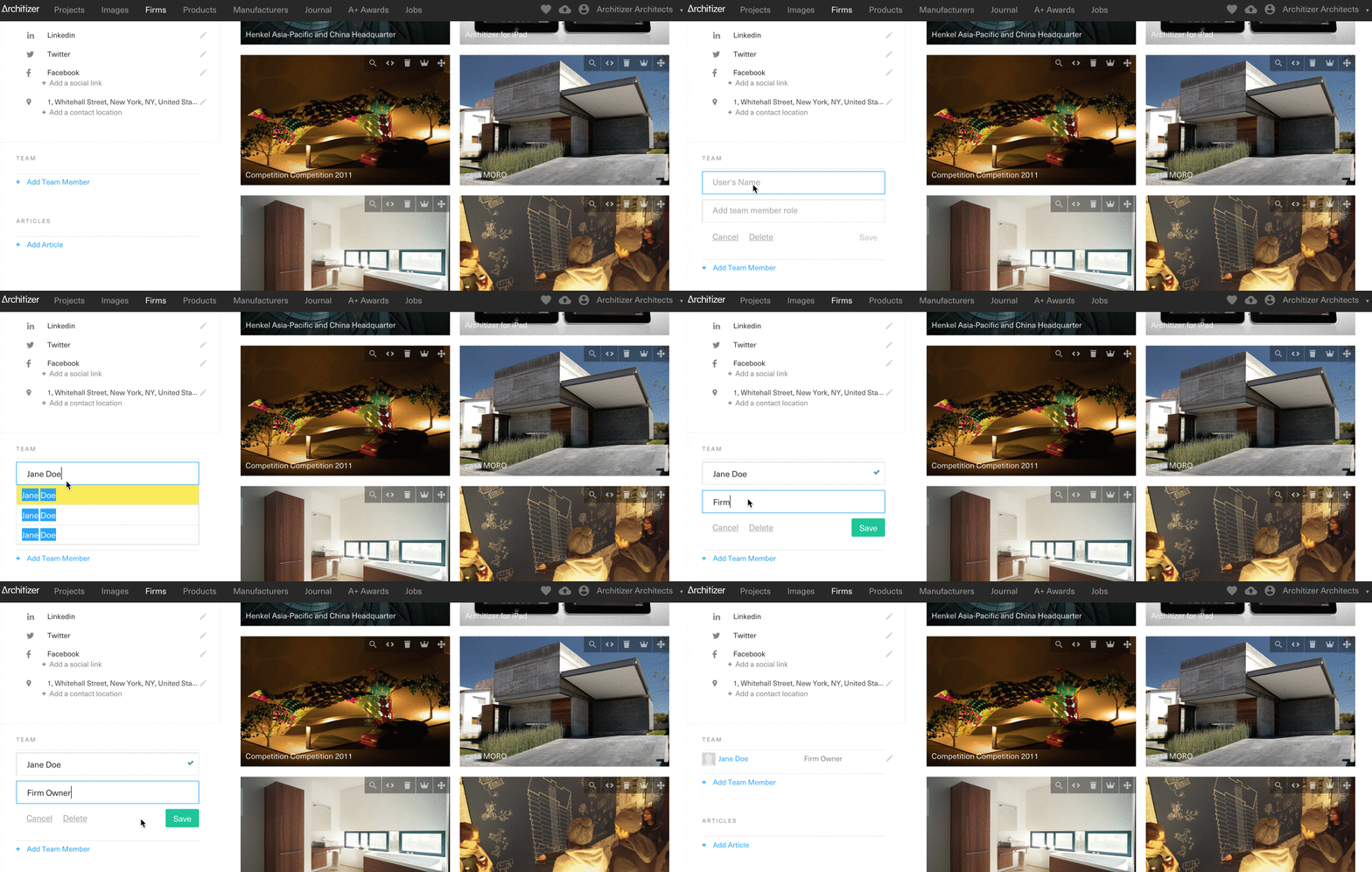
To add another user as a Team Member:
-
Sign in as a Firm Administrator
-
Go to your Firm Profile and navigate to the Team section on the left-hand side of the page
-
Click +Add a Team Member and begin typing your teammate’s name in the field "User's Name"
-
Their name should appear from the dropdown menu. If not, this means that they either do not have a user profile or their name was entered incorrectly
-
Select the correct User Name and press Save
Note: This does not give your team member permission to edit your profile or upload projects.
To create an Architizer user profile for yourself or a Team Member, see our user registration page.